
VOICE SYMPTOM TRACKER
How you feel.
In your own words.
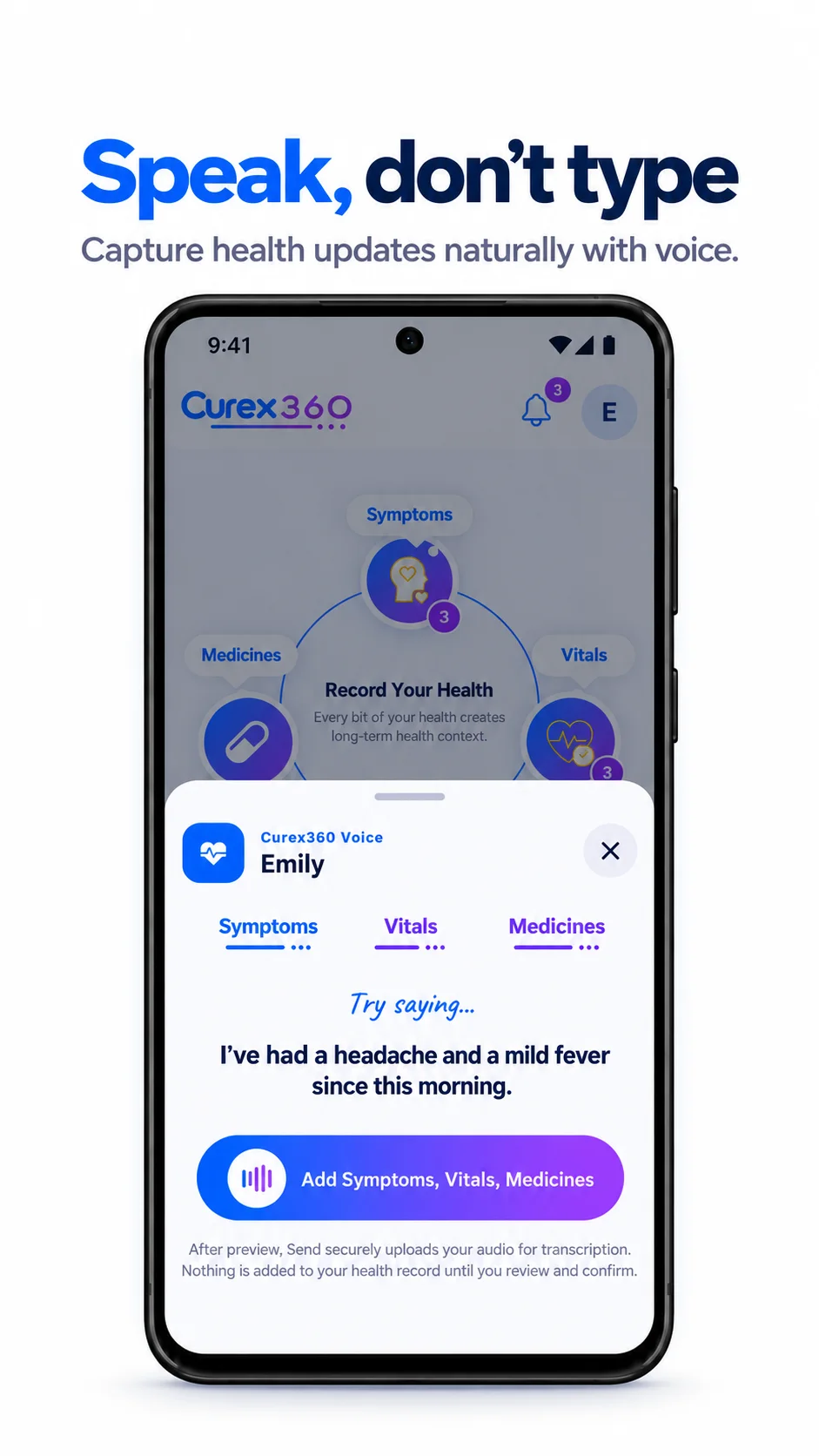
Speak in your language. Turn everyday symptoms into a clear record you can review, save and revisit.
For iPhone & Android
HOW IT WORKS
A few steps.
A useful record.
- 01
Say what changed
Describe the symptom and when it started, in your own language.
- 02
Review the details
Check the recognized symptoms. Pick from the list or add your own.
- 03
Keep the history
Confirm to save a dated entry you can return to before a visit.
Less to remember.
More to bring to your visit.
A symptom diary is most useful when it is easy to keep. Add an update when something changes, then come back to the details when you need them.
A record over time
Keep symptoms with dates, so you can describe what happened and when.
Voice or manual entry
Speak when it is easier. Choose a symptom manually when you prefer.
Context for your doctor
Prepare a consultation HealthBook with symptoms and questions you want to discuss.
How does the voice symptom tracker work?
Open Symptoms and choose Voice AI. Describe what you feel and when it started. Curex360 organizes your words for review; you can change the recognized symptoms before confirming. The reviewed symptom entry is added to your record when you confirm.
Can I track symptoms without speaking?
Yes. Choose Add manually to select symptoms from the list or add an Other entry. Voice is an option, not a requirement.
Can I speak in my own language?
You can describe symptoms naturally in your language. Voice AI maps the recognized symptoms to the app’s English symptom list for review. Always check the result, particularly names and details that may have been misunderstood.
Can I keep a symptom diary for a parent?
Yes. Switch to a managed profile you own, or a family profile that has granted you full access, before adding symptoms. Check the profile shown in the review before saving. Each person’s records stay separate.
Does Curex360 tell me what condition I have?
No. Curex360 helps record and organize symptoms; it does not diagnose or replace medical advice. Share the history with a qualified healthcare professional when you need advice.
Do voice features use credits?
AI features may use in-app credits. Check the balance for the selected profile in the app before using Voice AI. Manual symptom entry does not require voice processing.
Listening to your health.
Get Curex360


AI features may use in-app credits.