
DOCTOR VISIT PREPARATION
Your next doctor visit.
A little more prepared.
Gather what you want to say before your appointment. Create a consultation HealthBook by voice or manually, then review and share.
For iPhone & Android
HOW IT WORKS
Tell your story.
Bring the context.
- 01
Describe your concern
Open Doctor’s consultation. Choose manual entry or speak about what changed and when.
- 02
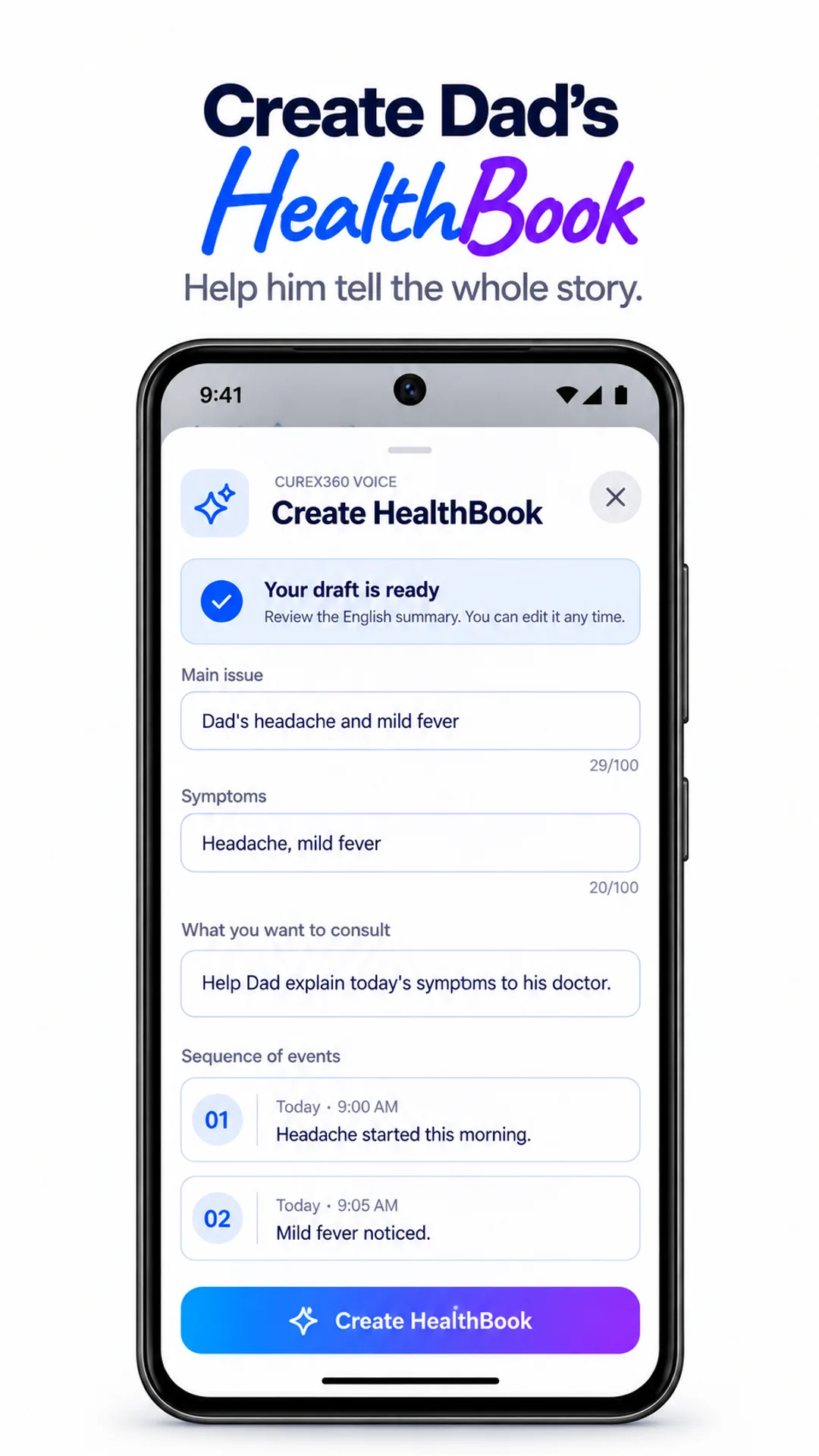
Review your HealthBook
Check the main issue, symptoms, sequence of events and what you want to discuss.
- 03
Share for the visit
Use the app’s sharing flow to let your doctor view the consultation information.
What is a
consultation HealthBook?
A consultation HealthBook is a structured summary you prepare for a doctor’s appointment. It brings together your main concern, symptoms, health history and questions so you can explain your experience clearly. It is your preparation for the conversation, not a medical opinion.
The story in order
Include when a symptom started, what changed and what you want help understanding. A timeline can be easier to review than scattered notes.
Relevant health history
Review medicines, allergies, chronic conditions, family history and previous surgery recorded in the app. Keep details accurate before sharing.
Support a parent’s appointment
With the right profile access, help Mom or Dad prepare their HealthBook. Review the summary with them and make sure it reflects what they want to discuss.
APPOINTMENT CHECKLIST
What to prepare
before a doctor visit.
A short list makes it easier to start with what matters to you.
Further reading: NIH appointment preparation guide.
- 01Your main concern and when it began
- 02Current medicines and relevant allergies
- 03Recent reports and changes in symptoms
- 04Questions you want to ask the doctor
How do I prepare for a doctor appointment with Curex360?
Open Doctor’s consultation and create a HealthBook. Describe your main concern, symptoms and sequence of events, then add what you want to discuss. Review the summary and your recorded health history before sharing it for the appointment.
Can I create a doctor visit summary by voice?
Yes. Choose Voice AI and explain your health story in your language. Curex360 organizes the recording into a draft for you to review. Correct anything missing or misunderstood before creating the consultation HealthBook.
What questions should I prepare for my doctor?
Write down the questions that matter to your visit. For example: “What could explain these changes?”, “What should I keep track of?” and “When should I follow up?” These are general conversation prompts; your doctor can advise on your situation.
Will my mood and stress charts be shared automatically?
No. For a new consultation HealthBook, you choose whether to include Health Log charts. Review the information you intend to share, particularly if your logs contain personal reflections. Existing HealthBooks keep the information already saved in them.
Can I prepare a HealthBook for my parent?
Yes, from a managed profile you own or a family profile that has granted full access. Switch to that person’s profile before creating the HealthBook, and check their name during review. Learn about managed profiles.
Does a HealthBook replace my doctor or medical records?
No. It helps organize information you want to discuss. It does not diagnose, prescribe or replace the original reports, your clinician’s records or professional care.
Do I need Voice AI to prepare a consultation?
No. You can create the consultation manually. Voice AI is optional and uses AI credits. Read about optional AI credits.
Listening to your health.
Get Curex360


AI features may use in-app credits.