
MEDICATION REMINDERS
Your medicines.
A clearer daily routine.
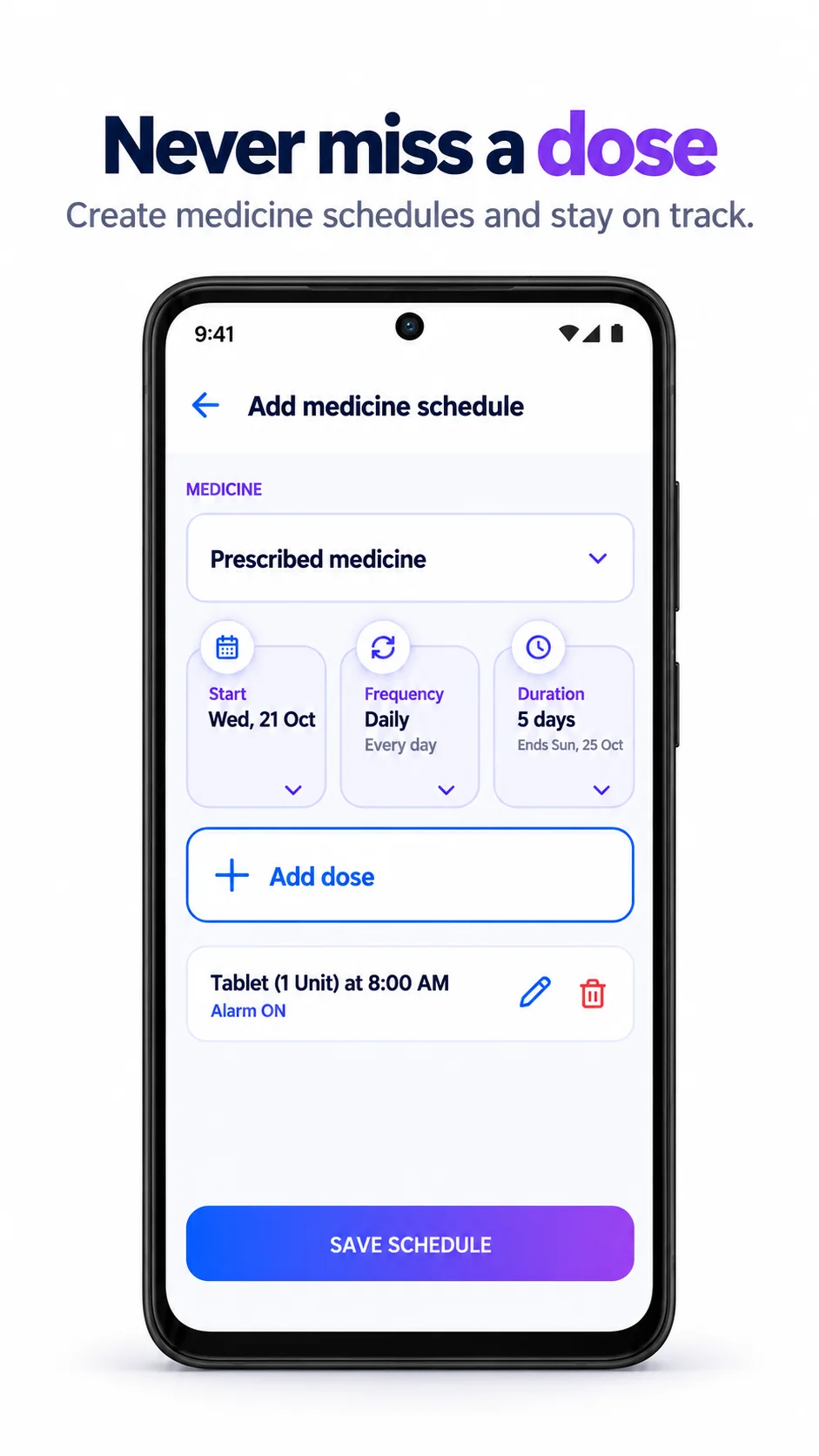
Build your medicine schedule by voice, prescription photo or manual entry. Check the details, then set your reminders.
For iPhone & Android
HOW IT WORKS
A few steps.
A useful record.
- 01
Add your medicine
Speak, upload a prescription photo or PDF, or enter it manually.
- 02
Check each detail
Confirm the name, dose, time and duration against your prescription.
- 03
Follow your schedule
Save reminders and review medicine schedule follow-ups in the app.
From prescription
to a daily schedule.
A medication reminder app should make an existing prescription easier to follow. Curex360 helps organize the routine, with a review step before medicines are saved.
Three ways to get started
Use Voice AI, upload a prescription or add a medicine manually. Choose what works for you.
An editable review
Correct a medicine name and fill in missing schedule details before you confirm.
Follow-ups in one place
See upcoming doses and medicine schedule follow-ups. Enable notifications for reminders.
How do I create a medication reminder?
Open Medicines, tap + and choose Add manually, Use Voice AI or Upload Prescription. Review the medicine name, dose, time, frequency and duration, then save the schedule. Enable notifications on your phone for reminders.
Can I turn a prescription photo into a medicine schedule?
Yes. Upload a clear prescription photo or PDF. Review the extracted medicines and correct any missing or incorrect details before saving. AI processing may use in-app credits.
What if voice recognition gets the medicine name wrong?
Each medicine has a confirmation step that opens the medicine form. Edit the name and check the rest of the schedule against your prescription, then return to the review and confirm.
What if the dose or time is missing?
Complete the missing information in the medicine form. Do not guess a dose or timing; check your prescription or ask a pharmacist or prescriber if you are unsure.
Can I manage reminders for my parent?
Yes, when you own their managed profile or they have granted you full profile access. Switch to that profile first so the schedule is saved for the right person.
Does Curex360 recommend medicines or doses?
No. Use the medicine, dose and timing provided by your prescriber. Curex360 organizes your schedule and reminders; it does not prescribe, change treatment or guarantee that a dose is taken.
Listening to your health.
Get Curex360


AI features may use in-app credits.